
Reviewed · TORONTO MUSEUMS & ATTRACTIONS
Toronto: Immersive Virtual Reality Arcade Experience
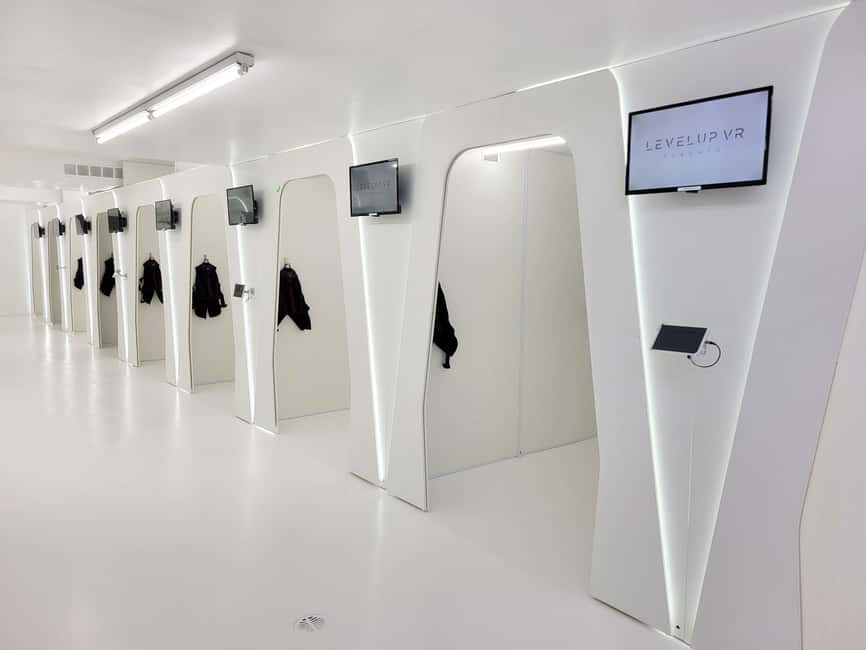
VR in Toronto is way more fun than I expected. Levelup Reality VR Arcade turns one hour into a choice-filled VR playground with 60+ games across genres. What grabs me is how the staff guide you from zero to game fast, plus the variety—action, horror, sports, and escape-style challenges all in one session.
The best part for me is the mix of single-player and multiplayer options, so you can keep it laid-back or make it competitive with friends. The one thing to factor in is that VR isn’t for everyone: if you have motion sickness, heart problems, or you use a wheelchair, this won’t be a good fit.
In This Review
- Key things to know before you go
- Levelup Reality at 661 Yonge Street: getting there without stress
- Your 60+ game hour: how the session actually runs
- Choosing games: action, horror, shooters, sports, and escape-style play
- VR staff help you set up: the difference between confused and ready
- Comfort matters: glasses, contact lenses, and what to wear
- Safety and who should skip: motion sickness, heart issues, and more
- Multiplayer for friends: plan for rotation since one station holds one player
- Price and value: what $37 buys you in downtown Toronto
- Where to eat nearby and how to fit it into a Toronto day
- Who should book Levelup Reality VR Arcade?
- Should you book this VR arcade session?
- FAQ
- How long is the Levelup Reality VR Arcade session?
- What kinds of VR games can I play?
- Do I need to bring anything?
- Is it suitable for kids?
- Can I wear glasses in the VR headset?
- What is not included in the price?
Key things to know before you go
- 60+ VR titles in one hour across action, horror, sports, rhythm, shooters, and puzzle-style play
- 10 minutes of setup and training before you start the 50 minutes of gameplay
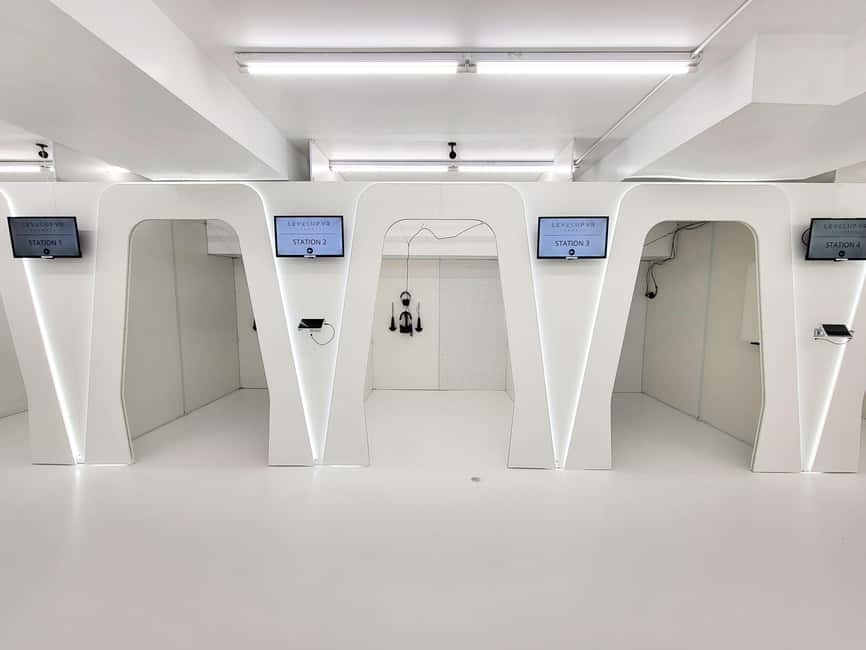
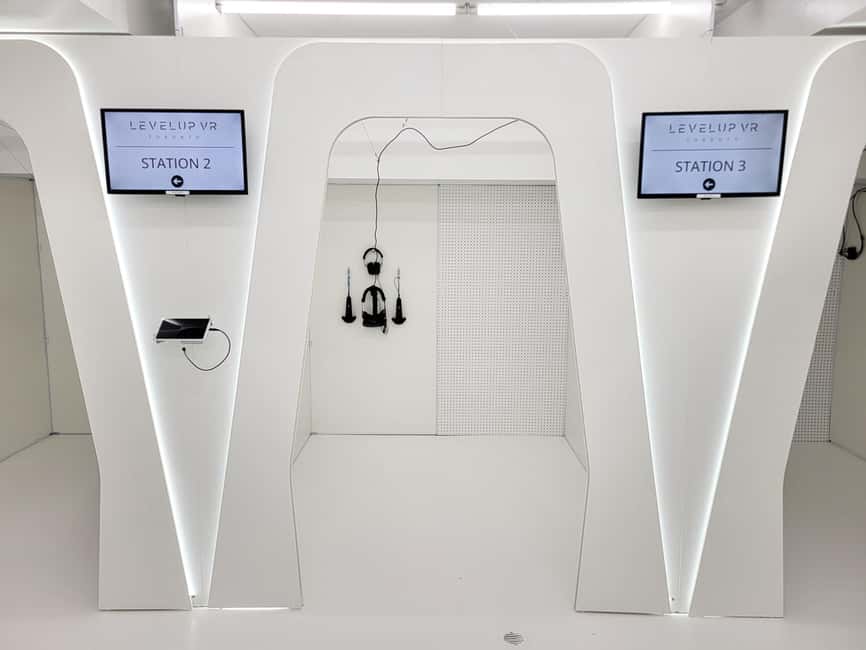
- One station equals one player, so groups may rotate depending on what you pick
- Sanitized headsets and gear after each use, with staff assisting during play
- Age rules start at 8+ (under 12 needs guardian supervision)
- Downtown location near Yonge & Bloor makes it easy to pair with a day of Toronto sightseeing
Levelup Reality at 661 Yonge Street: getting there without stress
Levelup Reality is at 661 Yonge Street, near Yonge & Bloor, right beside the Canada Post office. In practice, it’s a convenient stop when you’re already in central Toronto, and it’s just minutes from the Eaton Centre. That matters because you’re not burning time on transit before you even start your VR session.
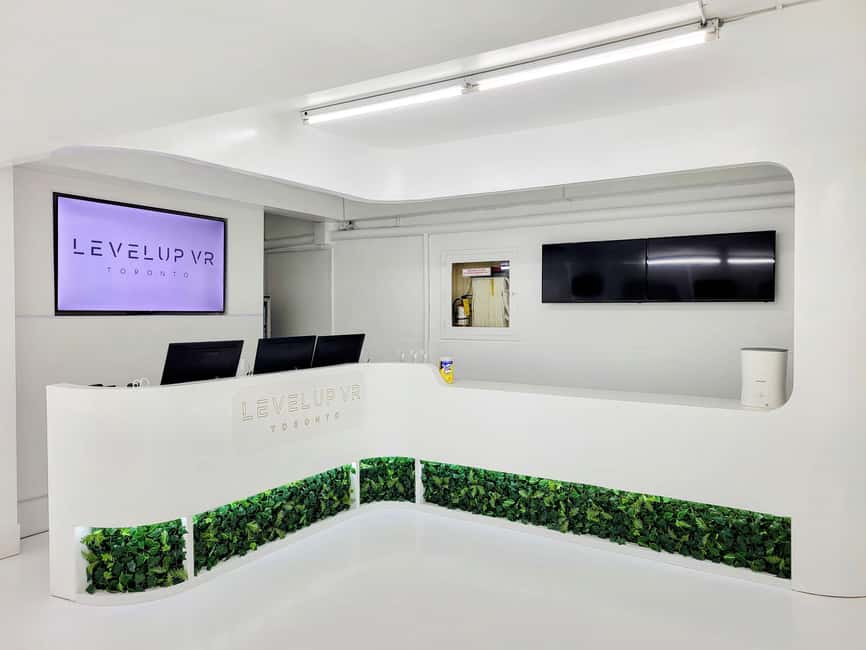
When you arrive, look for the entrance at street level and head down the stairs to the lower level. The sign will point you to the arcade area. The staff will handle check-in at the front desk, then you’re taken through orientation and safety so you can start moving with confidence.
One small planning tip: give yourself time to arrive at least 5 minutes early. That buffer lets you get through orientation and get your headset and controls sorted without the group feeling rushed.
Duck inside more of the museums and big-ticket attractions around Toronto

Your 60+ game hour: how the session actually runs
This experience is 1 hour total, and the time breakdown is simple:
- 10 minutes for setup and training
- 50 minutes for gameplay
That first 10-minute block is not just paperwork. You get a quick safety briefing and instruction on how to use the VR equipment safely. Then you’ll be set up for your first game choice. The on-site VR staff help you get going smoothly, including recommending good options for your group.
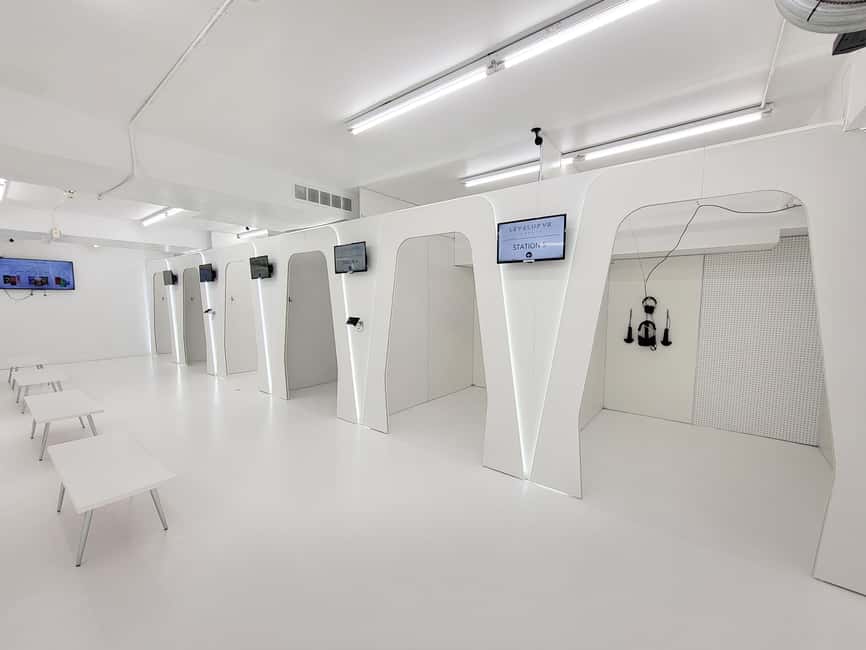
Then comes the part you came for: the 50 minutes of gameplay. During that window, you can play a single-player game or join multiplayer options. Because this is a station-based arcade, and each VR station is for one player at a time, groups often rotate. So if you’re planning a birthday squad or a friend group, think of it as a shared plan: one person at the headset while others play and swap in.
A practical note: the experience begins and ends at 661 Yonge Street, so plan your day around that hour rather than trying to stack it with another timed activity right next to it.
Choosing games: action, horror, shooters, sports, and escape-style play
The arcade has 60+ VR games and experiences, and they cover a lot of ground. Expect options across:
- Action and shooters
- Escape-room style puzzle play
- Horror
- Rhythm
- Sports
- Plus other genre options depending on what’s available at your time slot
Here’s how I’d think about your game selection. Don’t pick only what sounds cool on paper—pick what matches your group’s energy level and tolerance for fast motion.
- If you’ve never tried VR before, start with something that’s more straightforward to control and has a clear objective.
- If your group likes competition, lean toward sports or shooter-style challenges.
- If you want teamwork, look for escape-room or puzzle experiences that work well with a group dynamic.
Also, remember you only get 50 minutes of gameplay. That’s enough time for a couple of shorter experiences, or for one longer, more involved game depending on what you choose.
VR staff help you set up: the difference between confused and ready
VR can be intimidating at first because you’re learning new controls while wearing a headset. What makes Levelup Reality easier is the human layer: you’re not left on your own.
You’ll get:
- A short training and safety briefing before you start
- On-site VR staff assistance while you play
- Help choosing games that fit your group
One of the key takeaways from the experience is that first-timers usually don’t get stuck. The staff aim to get you ready quickly, and the setup process helps you spend your hour playing instead of figuring things out.
If you want a smooth experience, do two things:
- Wear comfortable clothes you can move in.
- Pay attention during the safety briefing—simple stuff like how you’ll be moving inside VR can affect your comfort level.
Comfort matters: glasses, contact lenses, and what to wear
You’ll wear a VR headset, and fit is a big deal for comfort and clarity. Good news: most glasses fit inside the headset. Still, if you have larger frames, the arcade recommends contacts for the best comfort.
What I like about this detail is that it’s not vague. If you’ve ever tried VR and had your glasses press uncomfortably into your face, this is the kind of heads-up that saves your session.
For clothing, bring something simple:
- Comfortable clothes that let you move
- Avoid anything too bulky or that bunches up
Also, the equipment is sanitized for each participant, which is reassuring if you’re sharing this with kids, friends, or a group.



Safety and who should skip: motion sickness, heart issues, and more
VR isn’t always a perfect fit. The venue lists several people who should avoid it, including:
- Children under 8
- Pregnant women
- People with heart problems
- Wheelchair users
- People with visual impairment
- People with motion sickness
If any of those apply to you (or someone in your group), it’s worth rethinking your plan.
There are also clear behavior rules:
- Pets not allowed
- No intoxication
- No alcohol or drugs
I’m glad these limits are spelled out. It keeps the experience safer and more enjoyable for everyone, because VR sessions work best when everyone is focused and moving within the safety guidelines.
Multiplayer for friends: plan for rotation since one station holds one player
If you’re coming with friends or family, multiplayer is one of the highlights—but it comes with a logistical reality.
Because each VR station is for one player at a time, your group may rotate through play. That doesn’t ruin the experience; it just changes how you plan your hour.
Think of it like this:
- You’ll likely spend some of your group time in the headset, and some waiting while others play.
- The staff can recommend games that work well for your mix of players, but the station rule stays the same.
If you’re traveling with younger kids (while staying within the age requirements), you may want to treat the session as a shared event where everyone gets a turn. For groups, it’s smart to agree on a game order before you start, so you don’t lose time deciding once you’re already geared up.
Price and value: what $37 buys you in downtown Toronto
At $37 per person for a 1-hour session, this is the kind of activity that can be good value when you count what’s included.
Your ticket includes:
- The 1-hour session with 50 minutes gameplay + 10 minutes setup/training
- Access to 60+ single-player and multiplayer VR games
- Use of VR headsets, controllers, and equipment
- Safety briefing and orientation from a VR guide
- Sanitized equipment for each participant
- All taxes and fees (HST included)
That last point matters more than people think. You’re not doing math at checkout while you’re hungry or rushing.
What costs extra (if you want it):
- Haptic suit upgrade for more immersion (optional)
- Food and drinks are not included
- Transportation isn’t included
So is $37 worth it? If you’re going to play for the full 50 minutes and you’re excited about trying VR games in different genres, it’s a fair price for a tech-forward, staff-supported activity that doesn’t require you to own anything. If you’re on the fence about VR or you’re someone who gets sick from motion, your money is safer spent elsewhere—but for the right group, this is a solid use of an hour.
Where to eat nearby and how to fit it into a Toronto day
Food isn’t included, but you’re in a practical location. Since Levelup Reality is minutes from the Eaton Centre, you can usually find easy options for a pre- or post-session meal without making a big detour.
Here’s a simple way to plan it:
- Eat earlier or later so you don’t feel rushed.
- Wear comfortable clothes that won’t be ruined by a quick stop at a café on the way.
If you’re doing this as part of a bigger Toronto day, it’s a good anchor activity. It’s timed, short, and indoors—so weather usually won’t wreck your plan.
Who should book Levelup Reality VR Arcade?
This is a good fit if:
- You’re looking for family-friendly, shared fun (with the 8+ minimum in place)
- You want a birthday or group activity with staff helping you run the show
- You’re traveling with friends and want something more playful than another museum hour
- You’re open to trying VR for the first time and want guidance
It may not be a good fit if:
- Someone in your group has motion sickness, heart problems, or other listed health limitations
- You’re traveling with someone who uses a wheelchair
- You or your group has difficulty with visual impairment accommodations
- You have a very small comfort tolerance for VR-style movement
Also, the arcade runs on English instruction, so plan around that if anyone in your group needs specific language support.
Should you book this VR arcade session?
If your group is healthy for VR and you want a fast, well-supported experience, I’d say book Levelup Reality. The hour is tight enough to feel doable, but long enough to matter—50 minutes of gameplay with a real 10-minute setup and training so you aren’t fumbling.
I’d especially recommend it if:
- you want lots of choice with 60+ games
- you’re bringing a mix of friends who might enjoy different genres
- you prefer guided experiences over trying to guess what to do on your own
Just be honest about comfort. If motion sickness is a risk, or if you fall into the venue’s listed limitations, skip this and save your energy for a day activity that works better for your body.
FAQ
How long is the Levelup Reality VR Arcade session?
The session is 1 hour total, including 10 minutes for setup and training and 50 minutes of gameplay.
What kinds of VR games can I play?
You’ll have access to 60+ VR games across genres like action, escape rooms, shooters, sports, horror, rhythm, and more.
Do I need to bring anything?
Bring comfortable clothes. The venue provides the VR headsets, controllers, and equipment.
Is it suitable for kids?
Players must be at least 8 years old. For children under 12, guardian supervision is required.
Can I wear glasses in the VR headset?
Most glasses fit inside the headset. If you have larger frames, contacts are recommended for better comfort.
What is not included in the price?
Food and drinks are not included. An optional haptic suit upgrade is also available for an additional cost. Transportation to and from the venue is not included.
More Toronto Museums and Attractions
More Tour Reviews to line up around Toronto and Niagara

Not sure yet? Here is more to see and do across Toronto, just reviewed









More Toronto Museums & Attractions to size up.
 ★ 4.7Casa Loma Entry TicketFrom $292,705 reviews
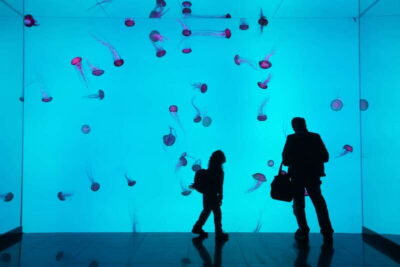 ★ 4.7Ripley’s Aquarium of Canada Entry TicketFrom $331,748 reviews
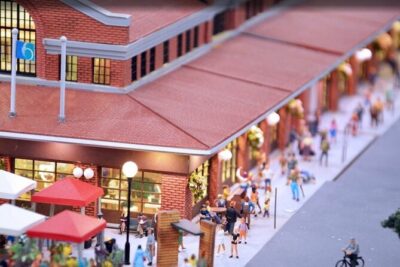 ★ 5.0Admission Ticket: Explore Canada in Miniature ScaleFrom $33441 reviews
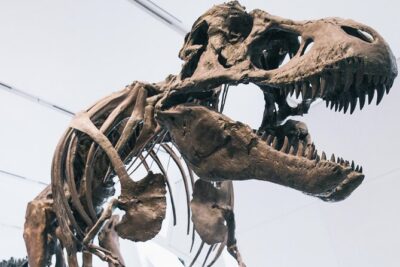 ★ 4.5Royal Ontario Museum AdmissionFrom $19411 reviews
 ★ 4.7Ripley’s Aquarium: Sharks After Dark Entry (After 5PM)From $33401 reviews
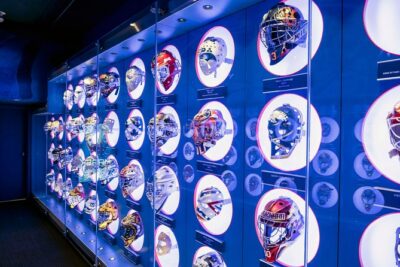 ★ 4.5Hockey Hall of Fame Admission TicketFrom $18376 reviews
 ★ 4.7Guided Tour of Scotiabank ArenaFrom $29275 reviews
 ★ 4.6Art Gallery of Ontario General Admission TicketFrom $21251 reviews
This tour also ranks in